



in4blog

Kali Linux update command
November 24, 2023
How To See Deleted Whatsapp Messages
November 24, 2023
How to know an original samsung phone
November 24, 2023
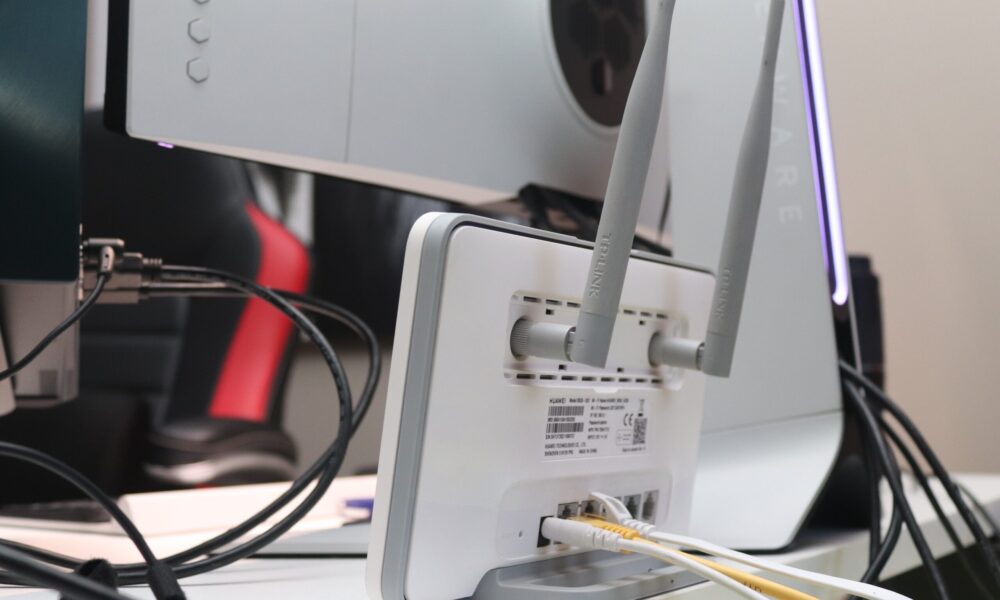
How to increase net speed in mobile Intro Are you looking for ways to increase your net speed on your mobile device? If so, you've come to the right place! In this blog post, we'll discuss the various ways you can improve your net speed on your mobile device. From adjusting network settings to optimizing your Wi-Fi connection, we will explore the different methods that you can use to increase net speed in mobile. Read on to learn more about how to increase net speed in mobile. Check your signal strength One important factor in determining your net speed is the strength of your signal. If you're experiencing slow internet on your mobile device, it's worth checking the signal strength. A weak signal can significantly affect your net speed. You can determine your phone's signal strength by looking at the signal bars on your device. If you have low bars, try moving to an area with better reception or consider using a signal booster for improved net speed. Close background apps and tabs To increase your net speed on your mobile device, make sure to close any unnecessary background apps and tabs. Running multiple apps or having numerous tabs open can consume your device's resources and slow down your internet speed. By closing these unused apps and tabs, you can free up your device's memory and improve net speed. So, take a moment to close those extra apps and tabs and enjoy a faster browsing experience on your mobile device. Clear cache and cookies Is your mobile device running slower than usual? You may need to clear your browser cache and cookies to experience this site as we intended. Over time, these files can build up and bog down your net speed. By clearing your cache and cookies, you'll free up valuable storage space and improve your browsing experience. It's a simple fix that can make a big difference in the speed and performance of your mobile device. Don't let unnecessary files slow you down – clear your cache and cookies today! Disable auto-updates for apps If you want to increase your net speed on your mobile device, one simple tip is to disable auto-updates for your apps. When apps automatically update in the background, they can slow down your internet speed and consume your device's resources. By manually updating your apps or setting them to update only when connected to Wi-Fi, you can ensure a faster browsing experience on your mobile device. Take control of your app updates and enjoy a speedier net connection! Disable animations and visual effects To further improve your net speed on your mobile device, consider disabling animations and visual effects. These features may enhance the aesthetic appeal of your device, but they can also slow down your net speed. By turning off animations and visual effects, you can optimize your device's performance and enjoy a faster browsing experience. So, say goodbye to fancy transitions and hello to a speedier net connection! Install a network booster app Looking for a quick and easy way to boost your mobile net speed? Consider installing a network booster app! These apps are designed to optimize your device's network connection and enhance your browsing experience. With just a few taps, you can improve your net speed and enjoy faster loading times. Say goodbye to sluggish internet and hello to seamless browsing with a network booster app! Use a lightweight browser Looking for a faster browsing experience on your mobile device? Consider using a lightweight browser! These browsers are designed to prioritize speed and efficiency, allowing you to load web pages quickly and navigate seamlessly. By opting for a lightweight browser, you can maximize your net speed and enjoy a smoother browsing experience on your mobile device. Say goodbye to laggy pages and hello to lightning-fast browsing with a lightweight browser! Update your device's software Keep your mobile device running smoothly and your net speed up to par by regularly updating its software. Software updates often include bug fixes and performance enhancements that can improve your device's speed and overall functionality. Make sure to check for any available updates in your device's settings and install them promptly. By keeping your device's software up to date, you can ensure that you're getting the most out of your mobile net speed. Don't let outdated software slow you down – stay updated and stay speedy! Switch to a faster network connection How to increase net speed in mobile
How to increase net speed in mobile
November 24, 2023
Facebook Twitter Youtube Instagram

in4blog

Type and hit Enter to search

  • Home
  • BLog
  • Linux
  • Technology
  • About
    • Contact
    • Disclaimer
    • Privacy Policy

in4blog

  • Home
  • BLog
  • Linux
  • Technology
  • About
    • Contact
    • Disclaimer
    • Privacy Policy
Breaking Down the Benefits of Using Monitor Mode Wifi Adapter
0 279 3
BLogLinux

Breaking Down the Benefits of Using Monitor Mode Wifi Adapter

by Ahsan
August 4, 2023

Monitor Mode Wi-Fi adapters are becoming increasingly popular for those looking to take their wireless network to the next level. In a...

Read More
How To Increase Laptop Speed
0 236 3
BLogLaptop

How To Increase Laptop Speed

by Ahsan
August 1, 2023

Are you feeling like your laptop is running slower than ever? You’re not alone! Many people experience a decrease in laptop speed as...

Read More
How To Check Specs on Pc
1 281 4
BLogOperating system

How To Check Specs on Pc

by Ahsan
July 31, 2023

Are you looking to find out how to check specs on pc? If so, you’ve come to the right place! In this blog post, we’ll walk you...

Read More
Latest snap dragon processor
1 244 3
BLogPhone

Latest snap dragon processor

by Ahsan
July 29, 2023

Welcome to the world of the latest snap dragon processor! This blog post will be a deep dive into the newest and most powerful processor on...

Read More
How to know if someone blocked your number
1 262 3
BLogPhone

How to know if someone blocked your number

by Ahsan
July 20, 2023

If you are wondering how to know if someone has blocked your number, it can be difficult to figure out. There are a few tell-tale signs...

Read More
system requirements
0 676 4
BLogUbuntu

ubuntu system requirements

by Ahsan
May 7, 2023

Are you wondering what Ubuntu system requirements are necessary for you to enjoy a smooth and successful experience? Then you’ve come...

Read More
1 2 3 4 5 … 9

Follow Me

Facebook
Linkedin
Instagram
Youtube

Featured Posts

The Best Linux Distros for Beginners
November 24, 2023
Kali Linux update command
November 24, 2023
How To See Deleted Whatsapp Messages
November 24, 2023
How to know an original samsung phone
November 24, 2023

Categories

BLog
Browser
Flash Drive
Hacking Tools
IPhone
Laptop
Linux
Operating system
Phone
Technology
Ubuntu
VirtualBox
VPN
Windows
Wireshark
WordPress

in4blog

Keep up to date with in4blog, which Provide you the most recent technology news collected from around worldwide.


© 2023, All Rights Reserved.

Quick Links

  • About
  • Contact
  • Privacy policy

Category

  • Blog
  • Linux
  • Phone

Follow Us

Facebook
Twitter
Instagram
WhatsApp
  • Home
  • BLog
  • Linux
  • Technology
  • About
    • Contact
    • Disclaimer
    • Privacy Policy